
Home › Forums › OS X Server and Client Discussion › Open Directory › Resetting/changing portable home directory sync settings?
- This topic has 20 replies, 8 voices, and was last updated 15 years, 9 months ago by
 manola.

-
AuthorPosts
-
February 28, 2006 at 5:13 am #365460VirtualWolfParticipant
I’ve got Tiger Server installed on my Mac mini, and have set up Open Directory and portable home directories for syncing my laptop and desktop. All are running 10.4.5.
It’s all working fine, apart from this: I’m trying to change the folders that are and aren’t being synced, but it doesn’t appear to be changing anything when I sync the clients.
I’ve looked inside the ~/Library/Preferences/com.apple.HomeSync.plist files (on the clients), and it’s still as it was when I initially set it up.
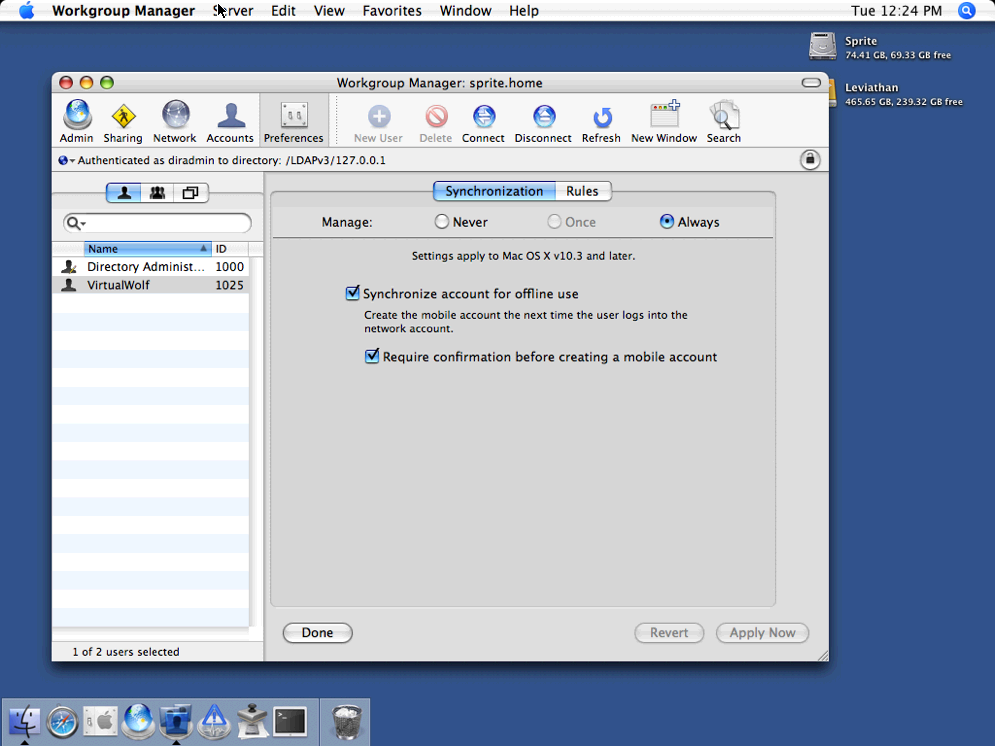
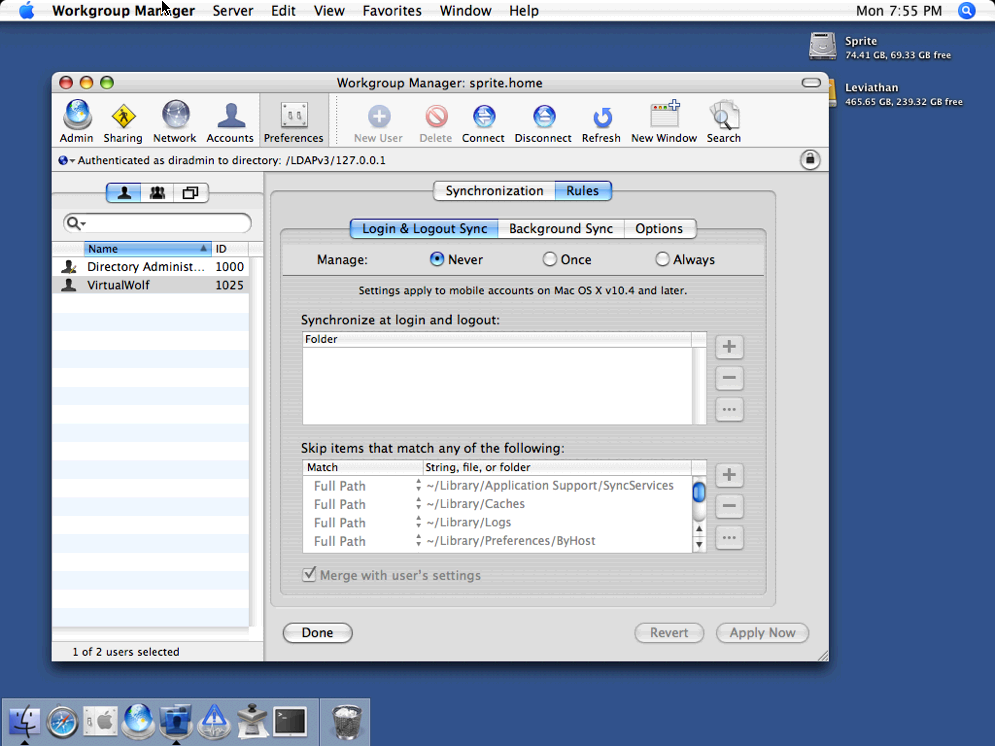
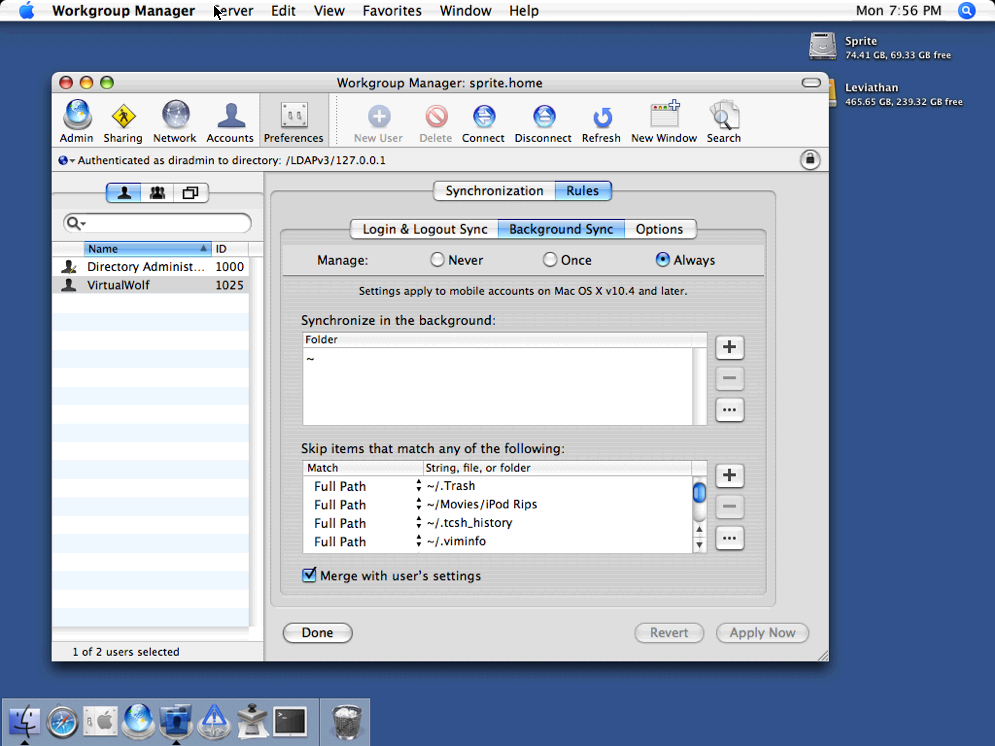
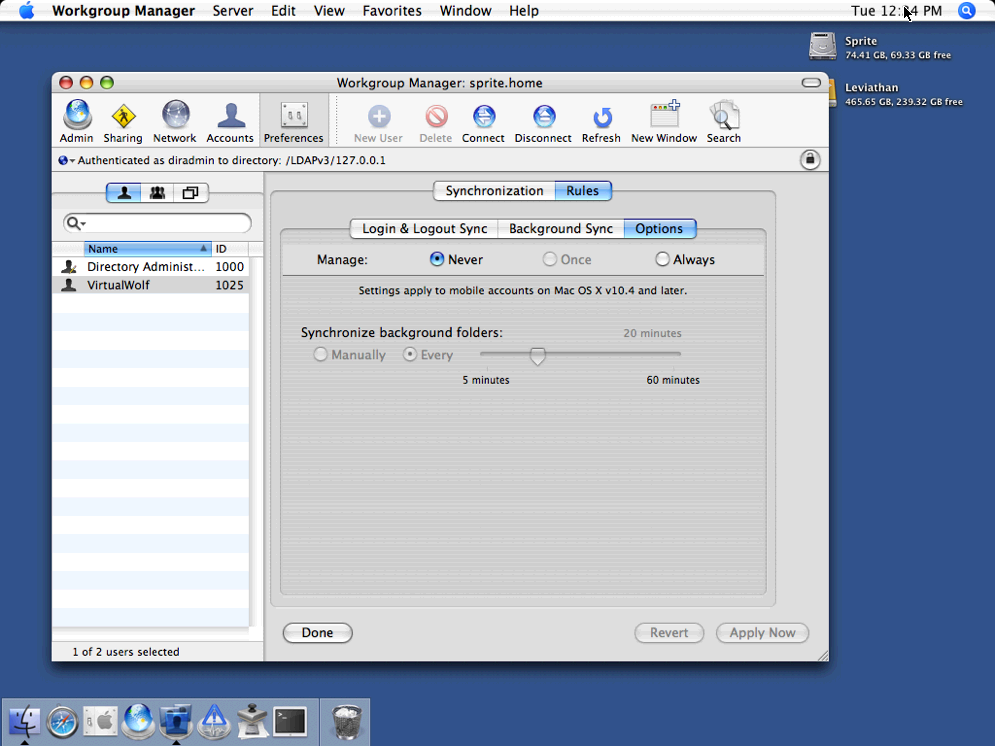
My setup in Workgroup Manager looks like this:
I’ve tried turning the login/logout sync on and rebooting the server, no change. Ticking “Merge with user’s settings” doesn’t change anything either.
I’ve also tried using MCXCacher (in /System/Library/CoreServices/mcxd.app/Contents/Resources/) to flush the cache, but also no change. I haven’t yet deleted and re-added the LDAP bindings in Directory Access, but can’t at the moment as I’m at work.
Argh!
Any ideas? TIA!
March 1, 2006 at 9:20 am #365489VirtualWolfParticipantA quick update: I’ve looked in /Library/Managed Preferences/virtualwolf/, and com.apple.homeSync.plist contains the correct list of excluded files. Deleting the user and the LDAP bindings then re-adding and re-syncing it all didn’t work.
I somehow managed to get the “Merge with user’s settings” option to work on my G5, but it randomly stopped working.
I went to the HomeSync menu extra and chose HomeSync Preferences, the window opened up and it was actually showing the dash for the Documents and Movies folder, indicating some sub-folders weren’t being synced (which is correct). I synced, it worked fine. After that, though, I logged out and back in, and it was back to not working properly again.I have no idea what I actually did, however, so I don’t know how to get it going again.
March 2, 2006 at 1:36 pm #365508VirtualWolfParticipantWell!
It turns out the problem was that I was giving the portable users admin privileges (on the client machines, via System Preferences (“Allow user to administer this computer”)). It appears that by doing that, it ignores the custom excluded-folders preference and uses the standard one (everything but ~/Library).
The only way I found to recover from it is (again on the client machine) to log into an alternate admin account, rename the portable user’s home directory, delete the user from System Preferences, then rename the home folder back to how it should be and log in as the portable user. It’ll ask if you want to create a portable home folder, hit Create and it’ll run through the syncing process, and work fine from then on.
Just posting here in case anyone else runs into the same issue.
March 3, 2006 at 10:49 am #365528VirtualWolfParticipantAye, but this is just my home machines.
May 25, 2006 at 6:30 pm #366269The LimeyParticipantWhy on earth are admins not bound by mcx settings for this? It was the mcx settings that made the home directory be created, so surely it would make sense that they would also apply to the sync settings?
Although, now that you have said this, I now know why it hasn’t been working for me…
May 25, 2006 at 6:37 pm #366270The LimeyParticipantActually, are you sure about this? Having set managed to “always” and not merged with the user’s settings in WGM has meant that users can not change the settings in System Preferences. So if they are not being controlled by WGM, what is controlling them?
Edit: I am controlling on a machine level, if that makes any difference.
June 2, 2006 at 12:24 pm #366329VirtualWolfParticipantOh, you’re having the same issue with admin users ignoring the MCX settings? At least it’s not just me then, heh.
I tested it at work, and it all worked perfectly, unfortunately… admin users were still getting the proper settings, unlike my setup.
June 15, 2006 at 10:35 am #366416VirtualWolfParticipant[QUOTE][u]Quote by: macshome[/u]
When an admin user logs in they are given the choice if they want to be managed or not. If they checked the “Remember my choice” box then you need to use the option key to get back to that screen.[/quote]
Holding the option key down just comes up with the “Select Workgroup” window, doesn’t it? I didn’t think that had anything to do with the managed stuff…
[quote]
As you also found you need to have the initial login done with MCX applied to create a mobile account/PHD.
[/QUOTE]Not quite sure what you mean there…?
June 18, 2006 at 7:42 am #366437VirtualWolfParticipantHURRAH! I finally got it solved.
Although I’m not [i]entirely[/i] sure how. 😉
I ended up deleting the user from both the client and server, and recreating it. The user ID was different, but Workgroup Manager remembered the exclude-from-sync list I’d set up. I’m guessing that deleting the user from both, and possibly the user ID changing, fixed it.
Either way, yay. 😀
July 10, 2006 at 1:50 pm #366583XFoxParticipant[QUOTE][u]Quote by: macshome[/u]
In the “Select Workgroup” window there is a “Enable Workgroup Management” at the top for Admin users. If they uncheck the box then managed MCX should not be applied to the user session.
[/QUOTE]
I get the “Select Workgroup” window but I cannot see the “Enable Workgroup Management” checkbox at the top of the window.
I see this window (it’s the italian localized version):[img]http://homepage.mac.com/xfox/Select%20Workgroup.png[/img]
I tried with a Mac OS X Server 10.4.7 server and a Mac OS X 10.4.7 client.
Moreover, I’m not able to unselect the group so the user gets always managed, even if he’s an administrator of the machine… am I missing something?November 9, 2006 at 1:41 am #367550VirtualWolfParticipantOk, shit.
My problem has returned. 👿
I noticed that my machines weren’t updating the list of folders to be excluded. I’d added a few folders since I posted this thread, and they’d been working fine, but the last three ones I added weren’t being ignored on the clients. I used MCXCacher -f to flush the cache on my PowerBook, logged out/in, and it’s gone back to completely ignoring my custom exclude list (/Library/Managed Preferences/virtualwolf/ doesn’t even contain a com.apple.homeSync.plist file anymore).
I deleted the user from the computer and re-added it, the exclude list came back, but it’s doing the make-the-user-an-admin-user-and-it-kills-the-list thing again. 🙁
This is really frustrating, because I don’t really know very much about how all this works… I haven’t found a good central resource for troubleshooting problems. Is there any way to just force a client to re-read the list of excluded folders from the server?
November 9, 2006 at 7:48 am #367552VirtualWolfParticipantWell, I copied the /Library/Managed Preferences/virtualwolf/com.apple.homeSync.plist from my (working but not updating) G5 to the PowerBook and put the new entries in, and it seems to work fine for syncing now (and in System Preferences>Accounts, under the mobile account it says “Admin, Mobile, Managed” again — when it stops working it loses the “Managed” bit).
I have a feeling this is going to break horribly at some point, though, and would really like to work out WTF is going on before that point.
January 20, 2008 at 6:15 pm #371164musoxParticipantAny other hints on this? I have 10.4.11 Sever syncing with 10.5.1 Client and HomeSync stopped on 12/21/07. I tried the add/remove user hint on both client and server side without any luck.
Thanks!
January 22, 2008 at 10:19 pm #371211QParticipant[QUOTE][u]Quote by: musox[/u][p]Any other hints on this? I have 10.4.11 Sever syncing with 10.5.1 Client and HomeSync stopped on 12/21/07. I tried the add/remove user hint on both client and server side without any luck.
Thanks![/p][/QUOTE]
I have a similar problem, with a 10.4.11 server and 10.5.1 client sync. PHD sync stopped working 12/28/07 after home sync conflicts of library files. I assume that some of the relevant user sync settings got corrupted, since mobile home sync of other mobile users from the same client machine with the same server does still work. The user continues to sync to the same server account from another client which runs 10.4.11. So whatever is corrupted only affects the leopard client. Also the user can no longer install a mobile home directory on a fresh leopard 10.5.1 install so the corrupted user account file must be on the Tiger server.I am wondering which ‘setting’ files to delete in order to get rid of the problem without having to erase the user account from server and both clients.
0:: [2008/01/22 23:03:16.721] EXCEPTION: BZ2_bzRead (Unexpected EOF) <_bunzip2filetopath (bz2Utils.m:104): "'err' error -7">
0:: [2008/01/22 23:03:16.721] USERINFO: {
0:: [2008/01/22 23:03:16.721] NSLocalizedDescription = “Unexpected EOF”;
………
1:: Peer “network” is unable to sync. (_bunzip2FILEToPath (bz2Utils.m:104): “‘err’ error -7”)
0:: [2008/01/22 23:03:16.888] Peer “network” is unable to sync. Not enough peers will be available to continue syncing.
0:: [2008/01/22 23:03:16.888] Aborting sync of “HomeSync_Mirror”.January 25, 2008 at 7:45 pm #371283QParticipantThe solution: I deleted the /user/.FileSync hidden folder including the contained bzip file which was corrupted (due to incomplete file transfer during sync??)
Sync with both leopard and tiger clients works again 😀 -
AuthorPosts


 I went to the HomeSync menu extra and chose HomeSync Preferences, the window opened up and it was actually showing the dash for the Documents and Movies folder, indicating some sub-folders weren’t being synced (which is correct). I synced, it worked fine. After that, though, I logged out and back in, and it was back to not working properly again.


- You must be logged in to reply to this topic.

Comments are closed