It's all working fine, apart from this: I'm trying to change the folders that are and aren't being synced, but it doesn't appear to be changing anything when I sync the clients.
I've looked inside the ~/Library/Preferences/com.apple.HomeSync.plist files (on the clients), and it's still as it was when I initially set it up.
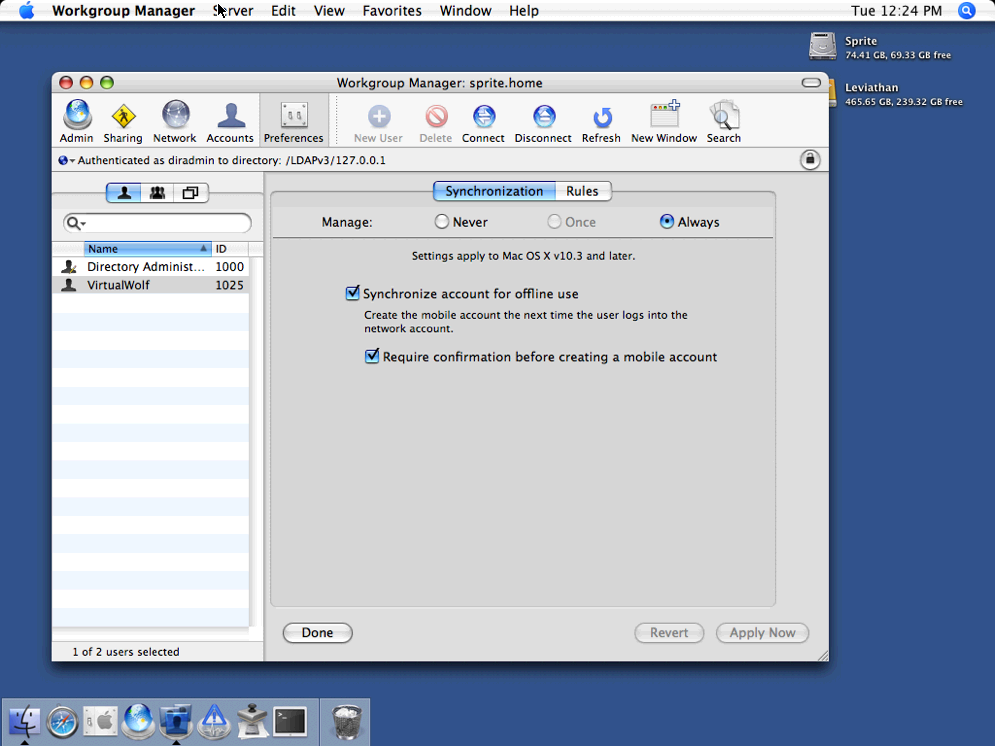
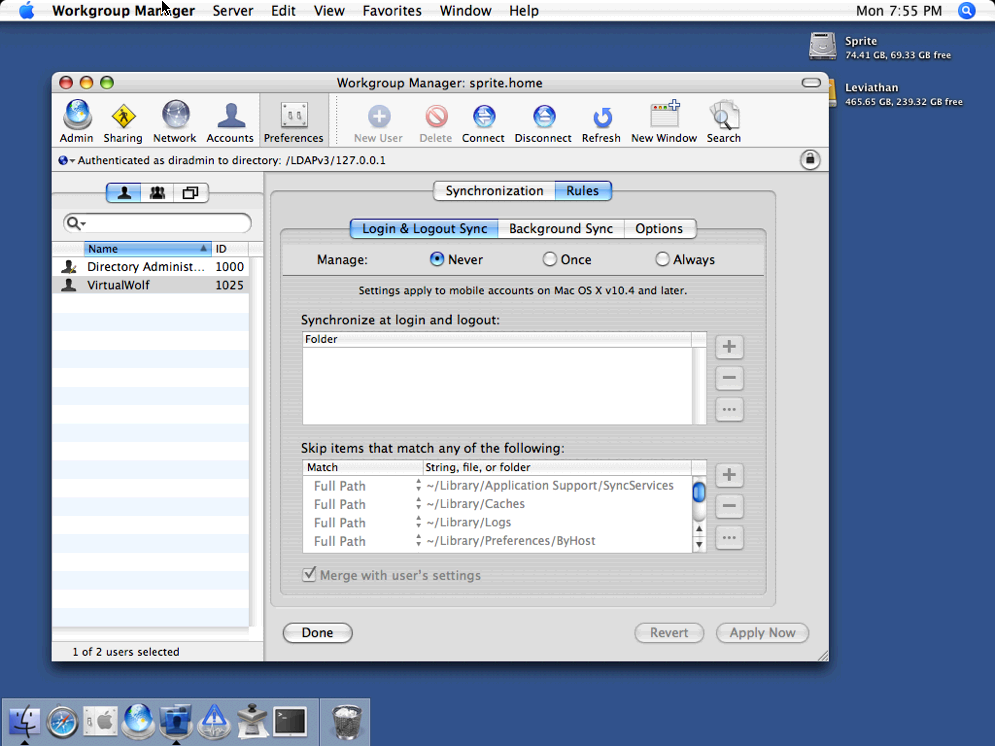
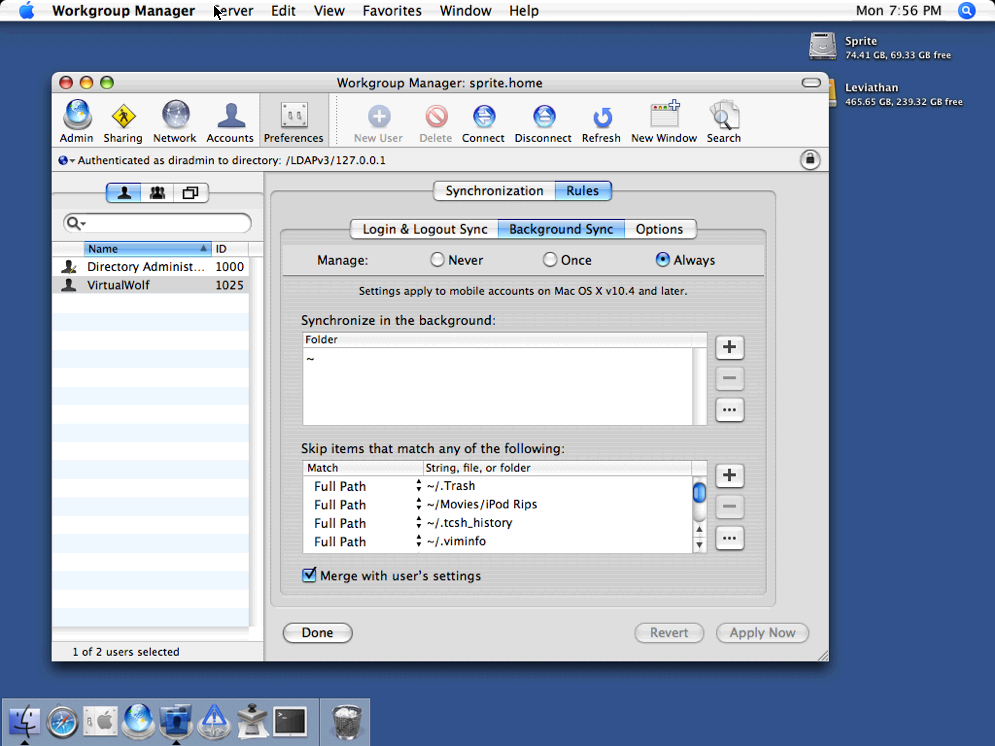
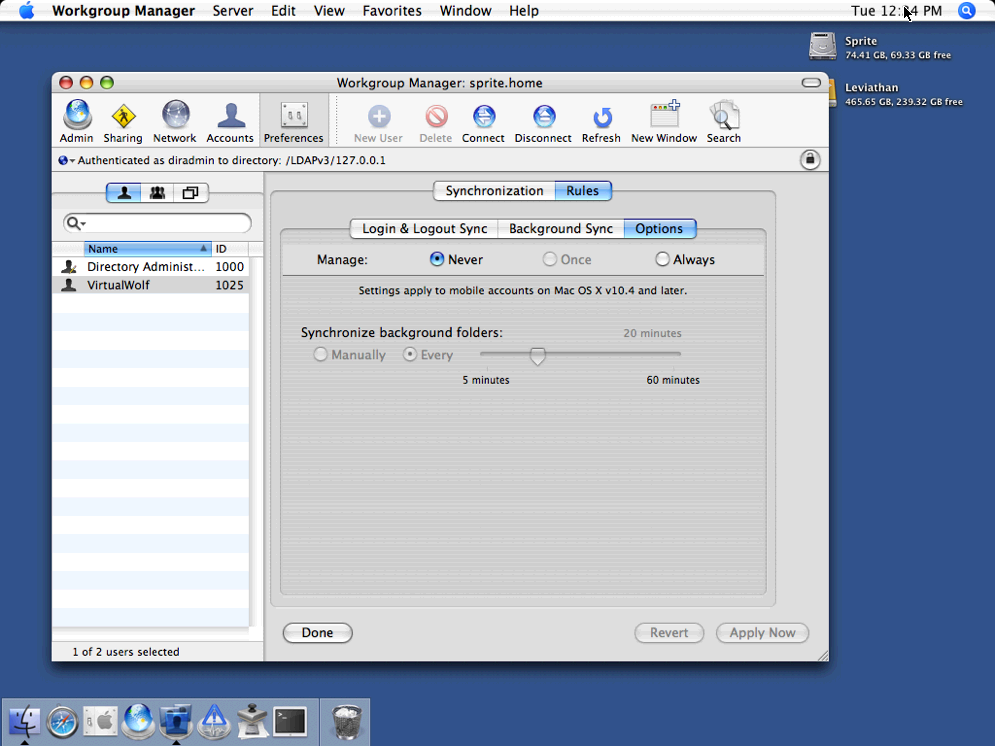
My setup in Workgroup Manager looks like this:
Synchronisation tab
Login & Logout Sync tab
Background Sync tab
Options tab
I've tried turning the login/logout sync on and rebooting the server, no change. Ticking "Merge with user's settings" doesn't change anything either.
I've also tried using MCXCacher (in /System/Library/CoreServices/mcxd.app/Contents/Resources/) to flush the cache, but also no change. I haven't yet deleted and re-added the LDAP bindings in Directory Access, but can't at the moment as I'm at work.

Argh!
Any ideas? TIA!